
TransitionControl
继承自 Control
TransitionControl 类用于实现简单的交互过渡动画效果。
你可以通过以下方式获取一个Button类型的交互控件:
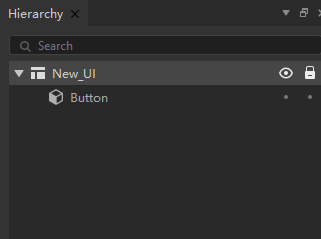
typeScript
let go = new GameObject("ui");
let uiComponent = go.AddComponent<UIComponent>(UIComponent);
let canvas = uiComponent.canvas;
let button = canvas.FindChild(Button,"Button");
成员变量
TransitionControl.interactable : boolean |
| 能否交互。 |
TransitionControl.transitionMode : TransitionMode |
| 过渡模式。 |
TransitionControl.normalColor : Color |
| 常态颜色。 |
TransitionControl.highlightedColor : Color |
| 高亮状态颜色。 |
TransitionControl.selectedColor : Color |
| 选中状态颜色。 |
TransitionControl.pressedColor : Color |
| 按住状态颜色。 |
TransitionControl.dissabledColor : Color |
| 失效状态颜色。 |
TransitionControl.colorMultiplier : number |
| 控件颜色乘数。 |
TransitionControl.fadeDuration : number |
| 过渡时间。 |
TransitionControl.normalTexture : Texture |
| 常态贴图。 |
TransitionControl.highlightedTexture : Texture |
| 高亮状态贴图。 |
TransitionControl.pressedTexture : Texture |
| 按住状态贴图。 |
TransitionControl.selectedTexture : Texture |
| 选中状态贴图。 |
TransitionControl.dissabledTexture : Texture |
| 失效状态贴图。 |