
format
typescript
Collider.isTriggerclass: Collider
description
Whether this collider is configured as a trigger.
When a collider is set as a trigger, it will no longer handle physical collisions but instead be used for trigger detection. This means that specific events will be triggered when an object enters or exits the collider's range.
parameter
| param_name | type | description |
|---|
reture
| type | description |
|---|---|
Boolean | Whether the collider is configured as a trigger. |
code example
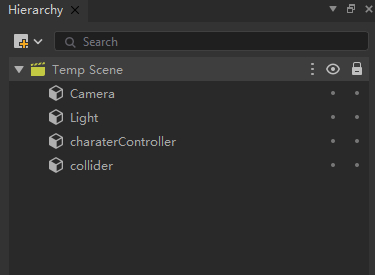
First, create a capsule collider "charaterController" and a cube collider in the scene (as shown in the image below). Add a CharacterController component and a BoxCollider component to them respectively. Check the "Is Trigger" property for the BoxCollider component. Set their positions to (0,0,0) and (0,2,0) respectively. Finally, attach the script to the "charaterController" game object.
typeScript
class New_TypeScript
    extends Component {

    OnStart(): void {
        Debug.Log("OnStart");

        let charater = this.gameObject.GetComponent<CharacterController>(CharacterController);
        charater.Move(new Vector3(0,1,0));
    }

    OnTriggerEnter(collider):void{

        Debug.Log(collider.isTrigger);
    }
}