
ContactPoint
The ContactPoint class describes the contact point information of a collision.
You can obtain the contact point information of a collision using the ContactPoint class in the following way:
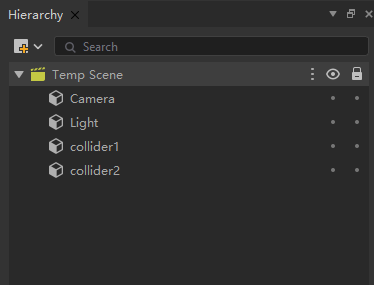
First, create two cube objects in the scene, named collider1 and collider2 (as shown in the image below). Add a BoxCollider component to each of them and set their positions to (0,0,0) and (0,2,0) respectively. Then, add a Rigidbody component to collider2 and enable the Use Gravity property. Finally, attach the script to the collider1 game object.
typeScript
OnCollisionEnter(collision):void{
        Debug.Log("Collision information when collision occurs",collision);
        let contactPoint = new ContactPoint(collision);
    }
成员变量
ContactPoint.point : Vector3 |
| (Read Only) The contact points of the collision. |
ContactPoint.otherCollider : Collider |
| (Read Only) The other collider involved in the contact at this point. |
ContactPoint.normal : Vector3 |
| (Read Only) The normal of the contact point of the collision. |
ContactPoint.separation : number |
| (Read Only) The distance between the contact point and the collider. |
ContactPoint.thisCollider : Collider |
| (Read Only) The first collider that contacts at this point. |
成员方法
ContactPoint.ructor ( owner : Collision ) : ructor(Collision |