
format
typescript
Collider.Raycast(ray, maxDistance)class: Collider
description
Check if a ray intersects with a collider.
parameter
| param_name | type | description |
|---|---|---|
| ray | Ray | The ray to check. |
| maxDistance | number? | The maximum length of the ray. |
reture
| type | description |
|---|---|
RaycastHit|undefined | Whether there is a collision. |
code example
First, create a capsule collider and a cube collider in the scene (as shown in the image below). Add a CharacterController component and a BoxCollider component to them respectively. Make sure to enable the "Is Trigger" property for the BoxCollider component. Set their positions to (0,0,0) and (0,2,0) respectively. Finally, attach the script to the charaterController game object. 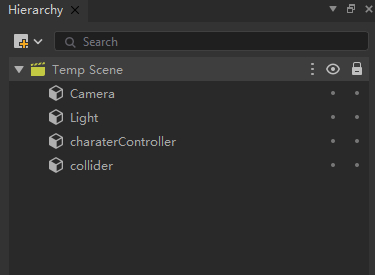
typeScript
class New_TypeScript
    extends Component {

    OnStart(): void {
        Debug.Log("OnStart");

        let charater = this.gameObject.GetComponent<CharacterController>(CharacterController);
        charater.Move(new Vector3(0,1,0));
    }

    OnTriggerEnter(collider):void{

        let ray = new Ray(new Vector3(0,0,0),new Vector3(0,1,0));
        Debug.Log(collider.Raycast(ray,10));
    }
}